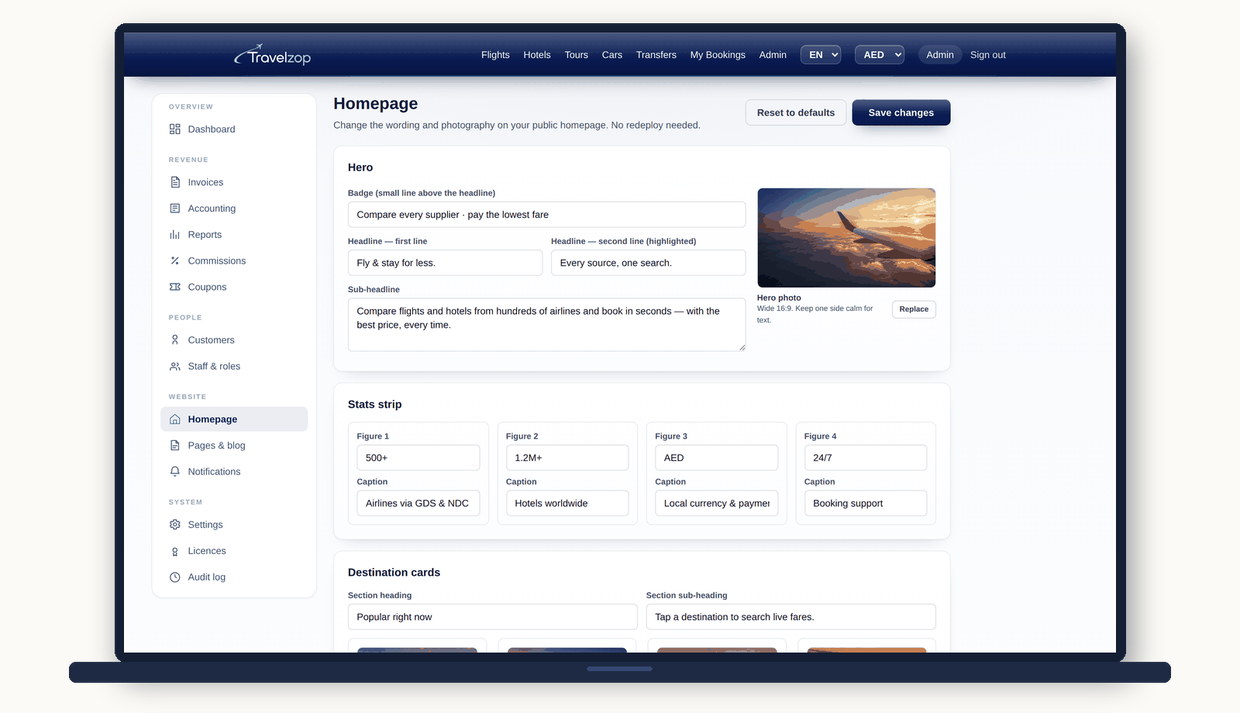
Most platforms hand you a homepage and a support ticket. Travelzop hands you the editor. Rewrite the hero, the headings, the destination cards, the product tiles and every photo on the page — from the admin, in a browser, with no redeploy and no developer.
Not a "customisable theme colour". The actual content of your homepage, editable by whoever runs your marketing.
Headline, sub-headline and call-to-action text. Change your positioning for a season, a campaign or a new market without touching code.
The headings and intro paragraphs that structure the page are all fields, so the page reads the way you want it to read.
Swap the featured cities, their labels and their photography. Sell Tbilisi in spring and Baku in autumn — same afternoon, no ticket.
Flights, hotels, tours, cars and transfers — retitle them, re-describe them and re-photograph them to match how your market actually buys.
Upload your own imagery for the hero, the destinations and the product tiles. Your city, your hotels, your clients — not stock that every competitor also bought.
Both are configured at runtime, so a rebrand is an upload rather than a release. The browser tab, the header and the footer all follow.
On most platforms, changing a headline is a request. Someone has to be available, and something has to be deployed. That delay is where campaigns die.
The homepage editor lives inside the admin console alongside suppliers, markups and accounting. It is not a separate CMS to learn, log into or keep in sync.
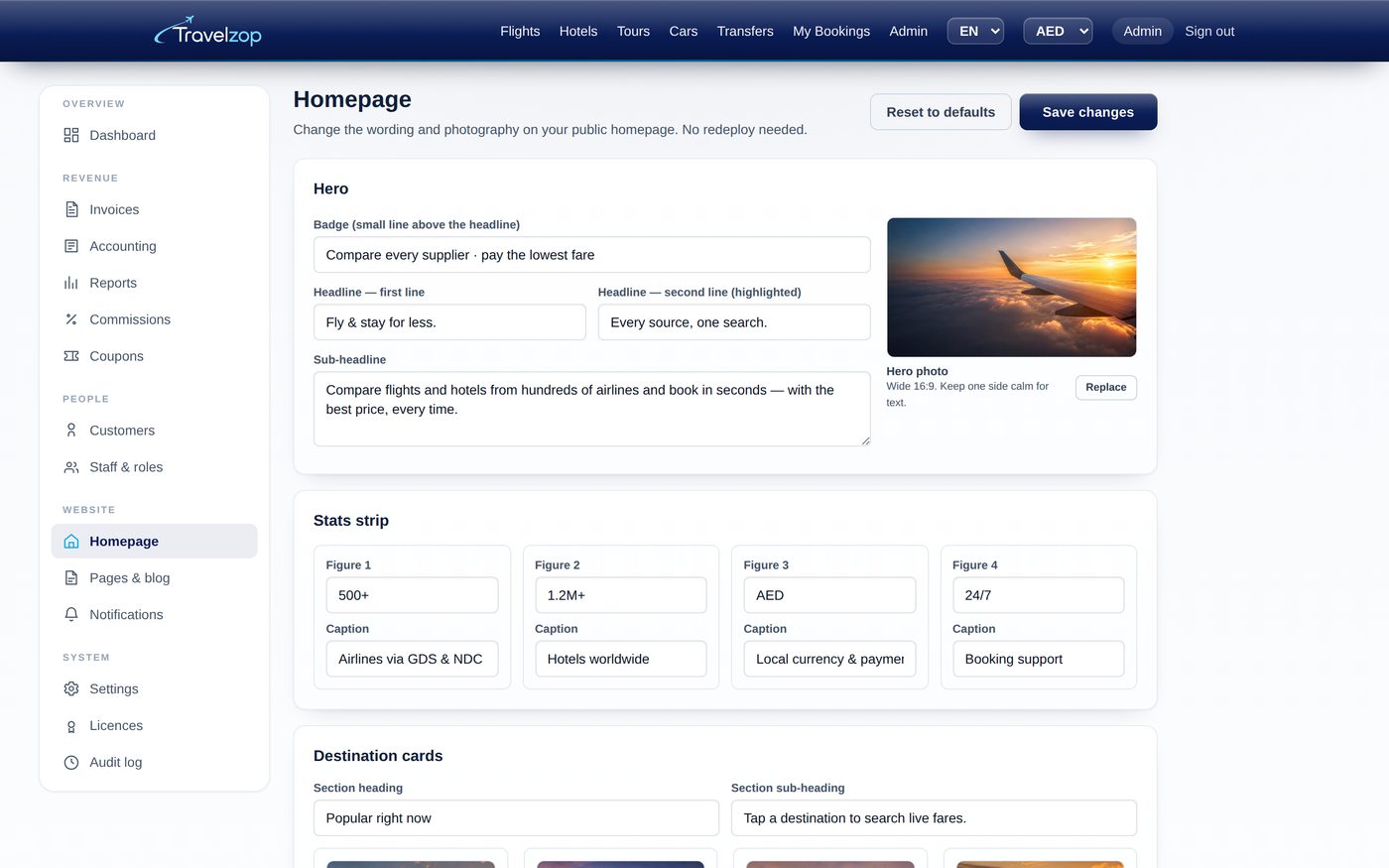
Travel is seasonal and reactive. A route opens, a visa rule changes, a competitor undercuts you on Dubai packages — and the homepage needs to say something different by Thursday. If that requires a developer, it does not happen.
Storefront control exists so the person who understands the market can act on it directly. Your marketing lead rewrites the hero for Eid. Your ops manager swaps the four featured cities when the winter programme lands. Your founder replaces the stock photography with pictures of the hotels you actually contract. None of it touches source code, and none of it waits on us.
Because you own the platform outright, this is also not a feature that can be taken away, metered or moved behind a higher tier later. It is part of the admin you are buying.
What ownership costs →The demo is the real product. Open the admin, edit the homepage, and watch the storefront change — no form, no sales call.